Essential Development Software
To develop applications for the ESP32 using the official ESP-IDF framework, you must install the following software components:
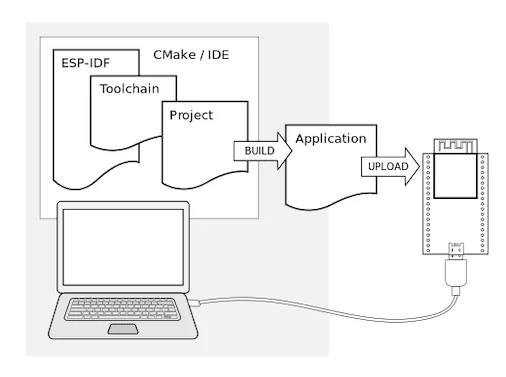
- Toolchain: This provides the compiler and linker necessary to build code specifically for the ESP32 architecture.
- Build Tools: CMake and Ninja are used together to manage the build process and generate the final application binary.
- ESP-IDF: This is the core framework. It contains the API libraries, source code, and scripts required to operate the toolchain and interface with the hardware.
Project Code Structure
A standard “Hello World” project follows a specific directory layout to ensure the build system can locate source files and configuration directives.
├── CMakeLists.txt
├── pytest_hello_world.py      Python script used for automated testing
├── main
│   ├── CMakeLists.txt
│   └── hello_world_main.c
└── README.md                  Project documentation
Build Configuration with CMake
ESP-IDF projects rely on CMake for automation. The project configuration is defined within CMakeLists.txt files. These files contain a set of directives that describe the source files and the intended targets: such as an executable, a library, or a combination of both.
References
For detailed instructions on how to build, run, and install a project on your specific operating system, refer to the ESP-IDF Get Started Guide.